When I started ideating on the UI/UX for a project I’m working on, I knew I wanted to begin with inspiration. Before jumping into mockups or layout tools, I took the time to gather interface examples that spoke to me. I then used those references, along with ChatGPT, to create a meaningful first draft of a design brief.
TL;DR: I used ChatGPT to help me codify my gut reactions to UI inspiration into a working first draft of a design brief. Staying close to the work, I was able to use it as a thinking partner, not a replacement.
Gathering Visual References
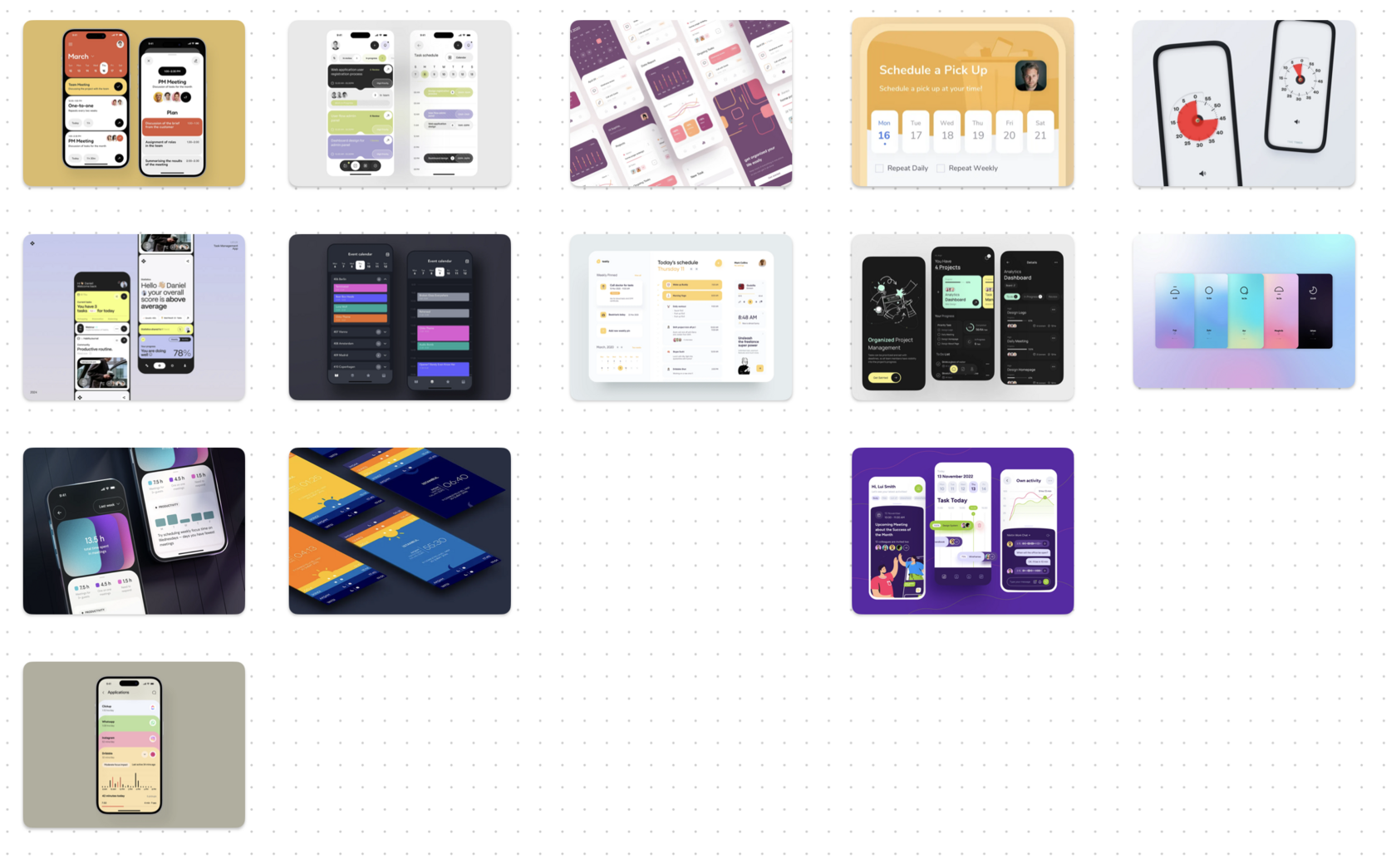
I started by collecting screenshots from around the web that included UI and UX elements that made me feel something. Each one had a quality I was responding to—sometimes it was an elegant workflow, other times a layout or interface detail I wanted to borrow.
Once I had a solid batch of inspiration, I grouped them into visual themes. I didn’t overthink it. I just went with what felt right. Each group had a shared visual rhythm or tone that I recognized instinctively, but didn’t yet put into words.
Once I had a solid batch of inspiration, I grouped them into visual themes. I didn’t overthink it. I just went with what felt right. Each group had a shared visual rhythm or tone that I recognized instinctively, but didn’t yet put into words.
Capturing My Reactions
"To start, I am going to give you some groups of images, and I'm going to tell you what I like about each group of photos that reference user interface design, so that you can abstract from the photos/designs what it is that we need to incorporate into our design."
I then brought each group to ChatGPT, starting with a baseline prompt (above), and followed with raw, unfiltered impressions in a stream-of-consciousness style. I shared words, vibes, metaphors, and aesthetic reactions. Anything that surfaced as I reviewed the images was fair game. This wasn’t a polished critique. It was instinctual.
Turning Instinct Into Language
ChatGPT then took my feedback and translated it into a small batch of design language bullets. These were specific, evocative phrases that captured what I was reacting to. Phrases like "stacked clarity," "soft transitions that signal but don’t shout," or "modular blocks that expand with purpose."
We iterated. If something didn’t land, I clarified. If something sparked a new thought, I shared it. It was a collaborative process. ChatGPT helped shape the language, but didn’t dictate it.
We iterated. If something didn’t land, I clarified. If something sparked a new thought, I shared it. It was a collaborative process. ChatGPT helped shape the language, but didn’t dictate it.
Repeating Across Themes
We repeated this for all three groups. By the end, I had three mini design briefs. Each one was a snapshot of what drew me to a particular visual cluster. Once those were complete, I asked ChatGPT to synthesize them into a unified design language for the project.
Again, I stayed involved. I reviewed the synthesis, made changes, and ensured that everything aligned with the direction of the project I’m building. The result is a first draft of my design brief, rooted in instinct but framed in language I can build from.
Again, I stayed involved. I reviewed the synthesis, made changes, and ensured that everything aligned with the direction of the project I’m building. The result is a first draft of my design brief, rooted in instinct but framed in language I can build from.
Key Reflections
- While I’m not a professional UI/UX designer by trade, I speak the language fluently enough to guide and refine ChatGPT’s output.
- This process doesn’t replace design work. It supports it. It helps codify my early reactions and gives me a clear starting point.
- Most importantly, I remained engaged throughout. ChatGPT didn’t create anything for me whole cloth. I used it as a sounding board and reflection tool to work through the ideation process I needed to follow.
This approach has become a foundational method in my design process. I'm not using AI as a shortcut, but to bring more clarity and depth to my work.